

This is a Comfy Cloud feature and is only available in the cloud version. To learn more about Comfy Cloud, see Comfy Cloud.
Overview
Comfy Cloud MCP is in closed beta — invite only. Access is gated by a per-user feature flag. If you don’t have access yet, sign up for the waitlist.
Install
Pick your client:Claude Code
Install the plugin — connection and commands in one step.
Claude Desktop
Add a custom connector in the app, then sign in.
Claude Code
Install the comfy-cloud plugin — it adds the MCP connection and the slash commands in one step.1
Add the marketplace
2
Install the plugin
3
Sign in
Run
/mcp, select comfy-cloud → Authenticate. Your browser opens to sign in, and tokens refresh automatically.Prefer just the connection, without the plugin?
Prefer just the connection, without the plugin?
Add the server directly (no slash commands):Then run
/mcp, select comfy-cloud → Authenticate. Add -s user to make it available in all your projects.Claude Desktop
Claude Desktop adds Comfy Cloud as a custom connector through its UI, then runs the OAuth sign-in.1
Open Connectors
In Claude Desktop, open Customize, then choose Connectors.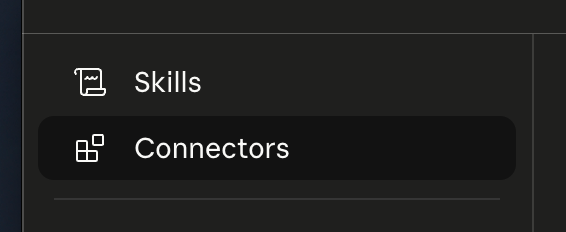
2
Add a custom connector
Click the + button, then choose Add custom connector.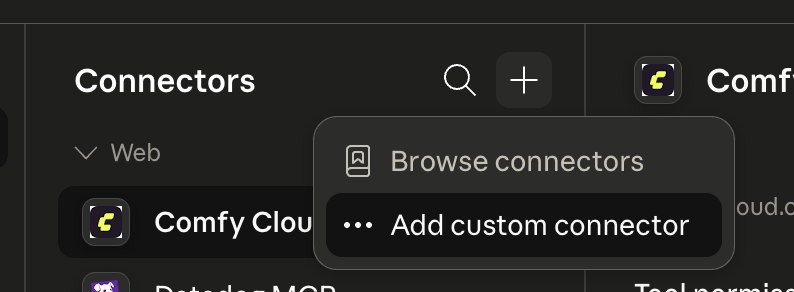
3
Enter the server URL
Name it anything (for example, Comfy Cloud) and set the Remote MCP server URL to: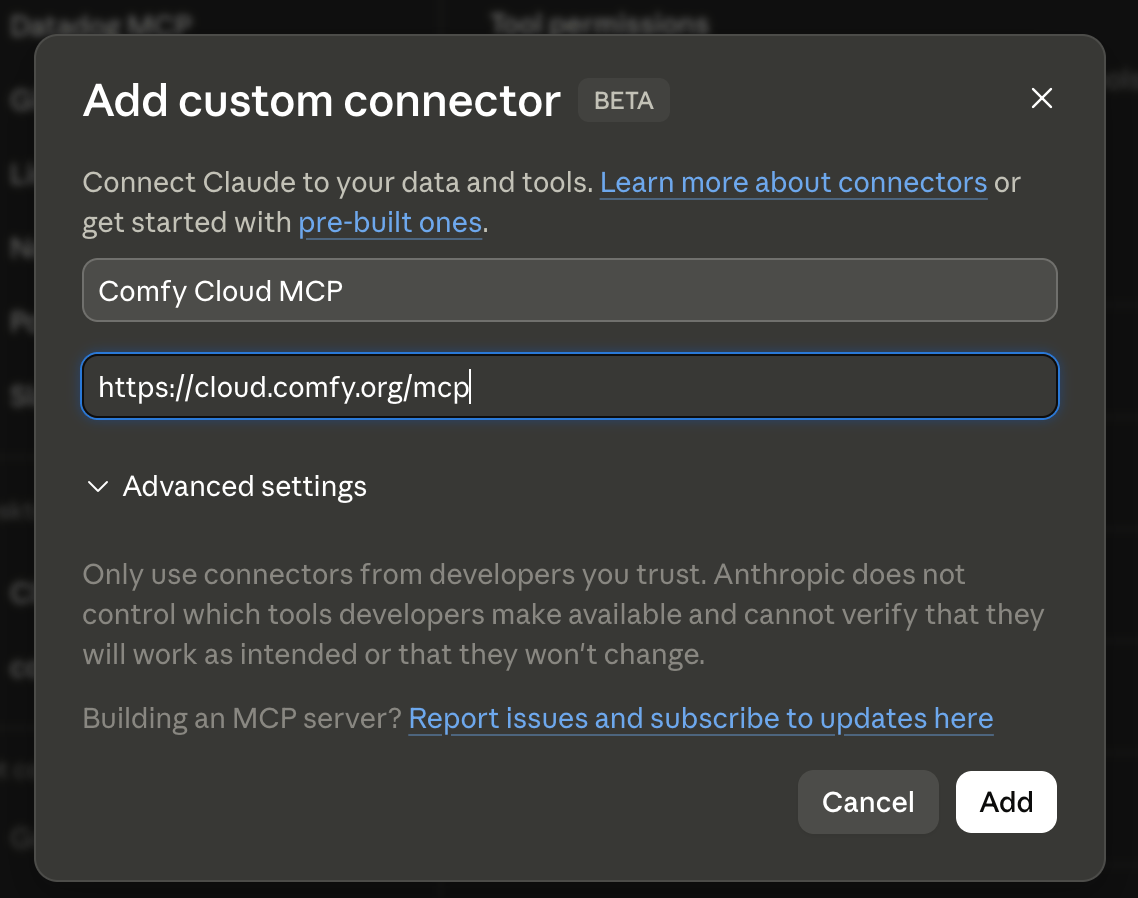
4
Sign in
Click Add, then sign in through Claude Desktop when prompted. You are connected.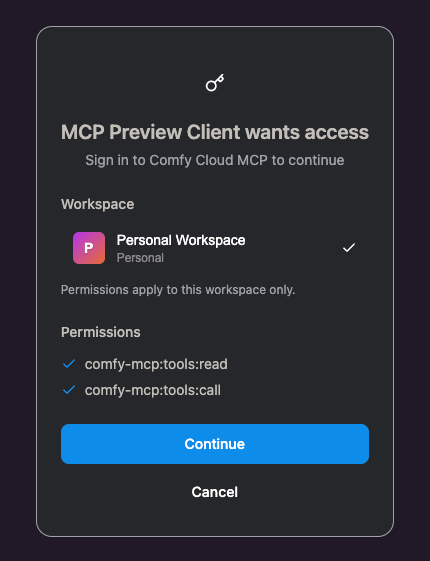
Headless / CI (API key)
Claude Code and Claude Desktop use OAuth, so you do not need an API key. For headless or CI setups where no browser is available, authenticate with an API key instead:1
Create a key
Go to platform.comfy.org/profile/api-keys, click New API Key, and copy it (it starts with
comfyui-).2
Add the server with the key header
FAQ
Which clients are supported?
Which clients are supported?
Claude Code and Claude Desktop today, both signing in with OAuth. Support for more clients is coming.
Do I need an API key?
Do I need an API key?
Not for Claude Code or Claude Desktop — they use OAuth. An API key is only needed for headless or CI setups with no browser.
Do the slash commands work in Claude Desktop?
Do the slash commands work in Claude Desktop?
No. The slash commands ship in the Claude Code plugin. Claude Desktop connects to the same MCP server (so the tools work — just ask in plain language), but it doesn’t support Claude Code plugins or slash commands.
The sign-in did not open a browser.
The sign-in did not open a browser.
In Claude Code, run
/mcp, select comfy-cloud, and choose Authenticate. In Claude Desktop, reopen the connector from Customize → Connectors and trigger sign-in.