

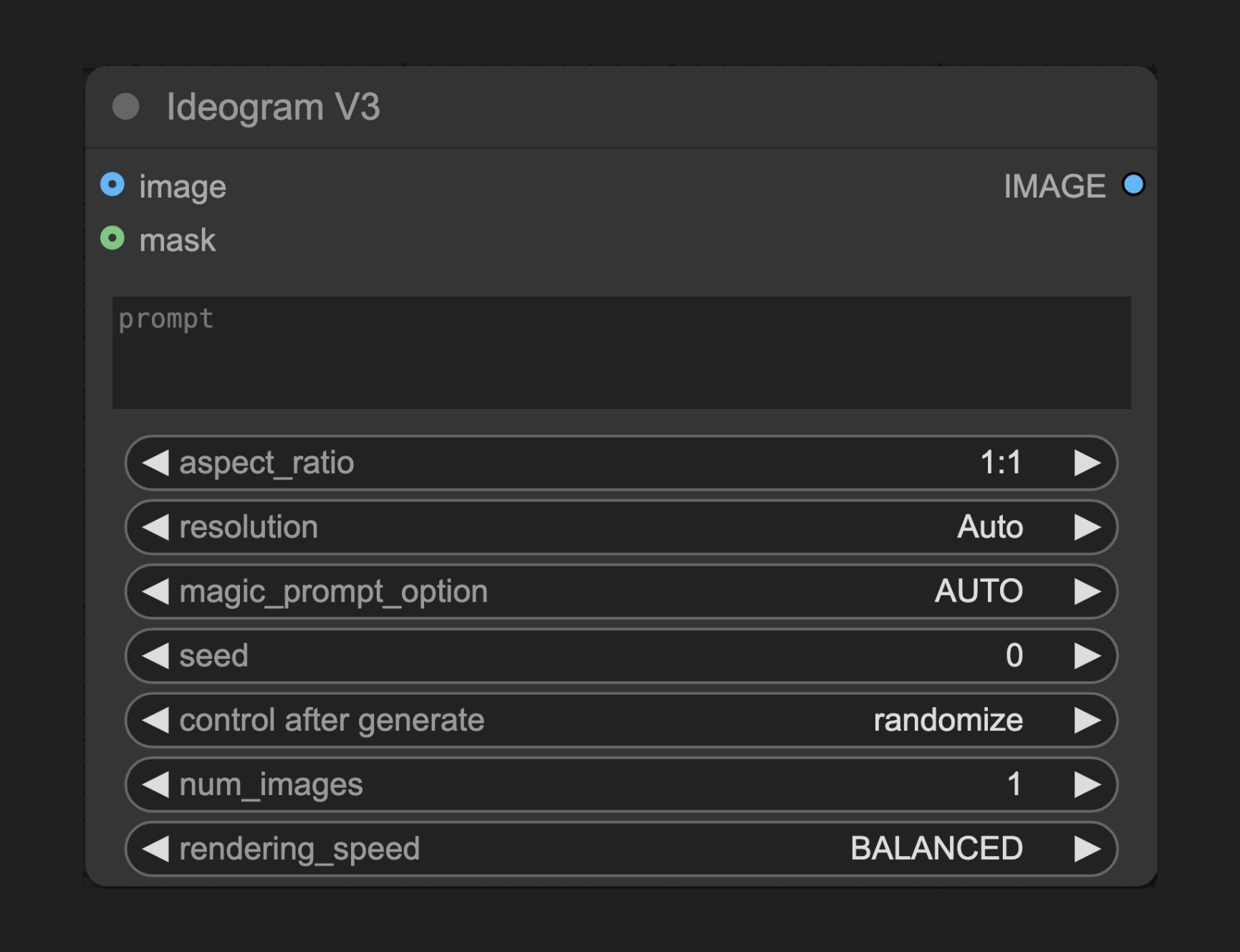
- Text-to-Image Mode - Generate new images from text prompts
- Inpainting Mode - Regenerate specific areas by providing an original image and mask
Text-to-Image Mode
This is the default mode, activated when no image or mask inputs are provided. Simply provide a prompt and the desired parameters:- Describe the image you want in the prompt field
- Select an appropriate aspect ratio or resolution
- Adjust other parameters like magic prompt, seed, and rendering quality
- Run the node to generate the image
Inpainting Mode
Important Note: This mode requires both image and mask inputs. If only one is provided, the node will throw an error.- Connect the original image to the
imageinput port - Create a mask with the same dimensions as the original image, where white areas represent parts to be regenerated
- Connect the mask to the
maskinput port - Describe what you want to generate in the masked area in the prompt
- Run the node to perform local editing
Parameter Descriptions
Basic Parameters
Optional Parameters
Output
How It Works
The Ideogram V3 node uses state-of-the-art AI models to process user input, capable of understanding complex design intentions and text layout requirements. It supports two main modes:- Generation Mode: Creates new images from text prompts
- Edit Mode: Uses original image + mask combination, replacing only the areas specified by the mask