> ## Documentation Index
> Fetch the complete documentation index at: https://dripart-mintlify-b90d3c69.mintlify.site/llms.txt
> Use this file to discover all available pages before exploring further.
# Canceling your Comfy Cloud subscription
> Learn how to cancel your Comfy Cloud subscription
## How to cancel
To cancel your Comfy Cloud subscription:
1. Visit and log in to [cloud.comfy.org](https://cloud.comfy.org/?utm_source=docs)
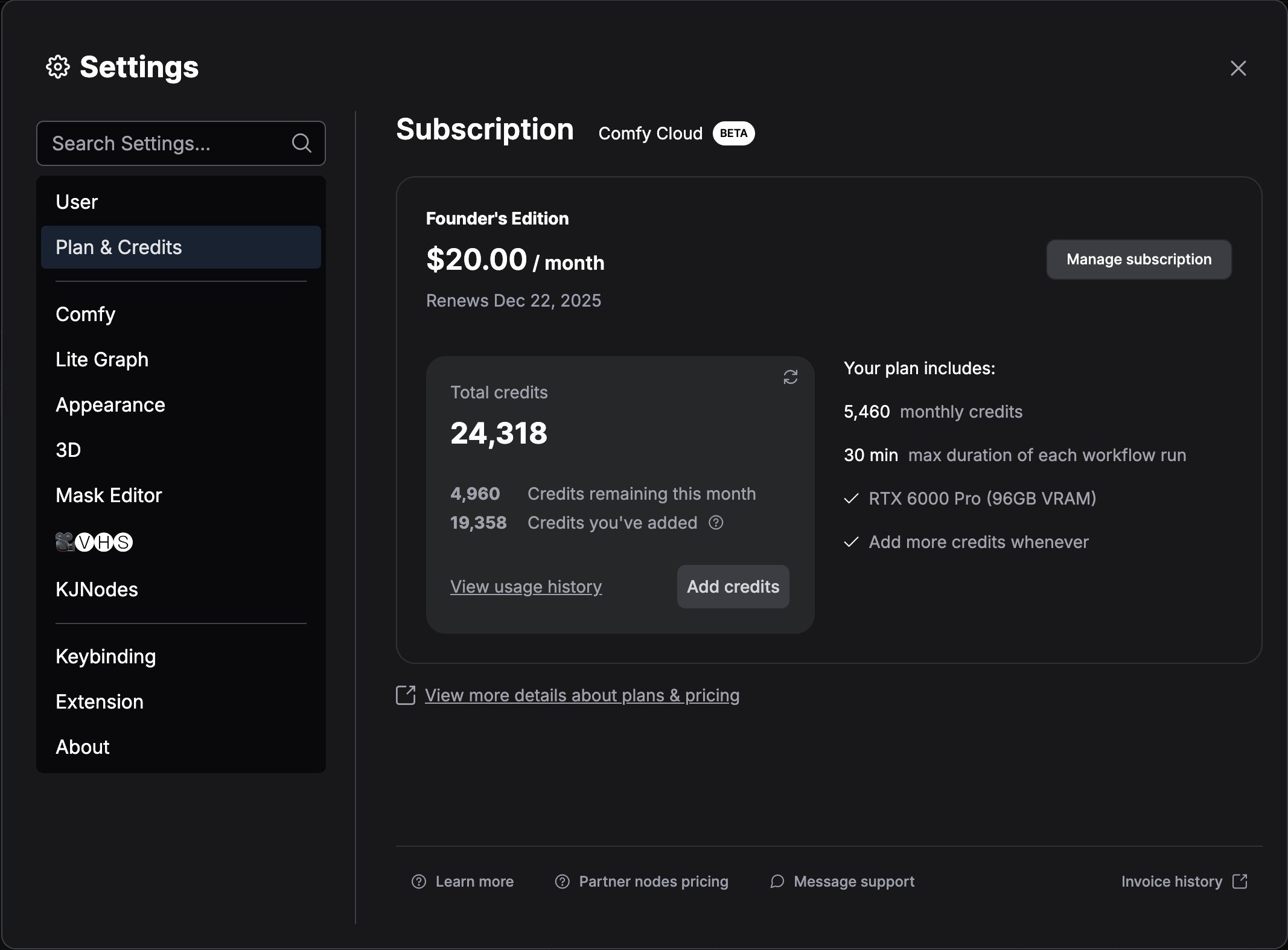
2. Navigate to the settings menu
3. Go to **Plan & Credits**
4. Click **Manage subscription**
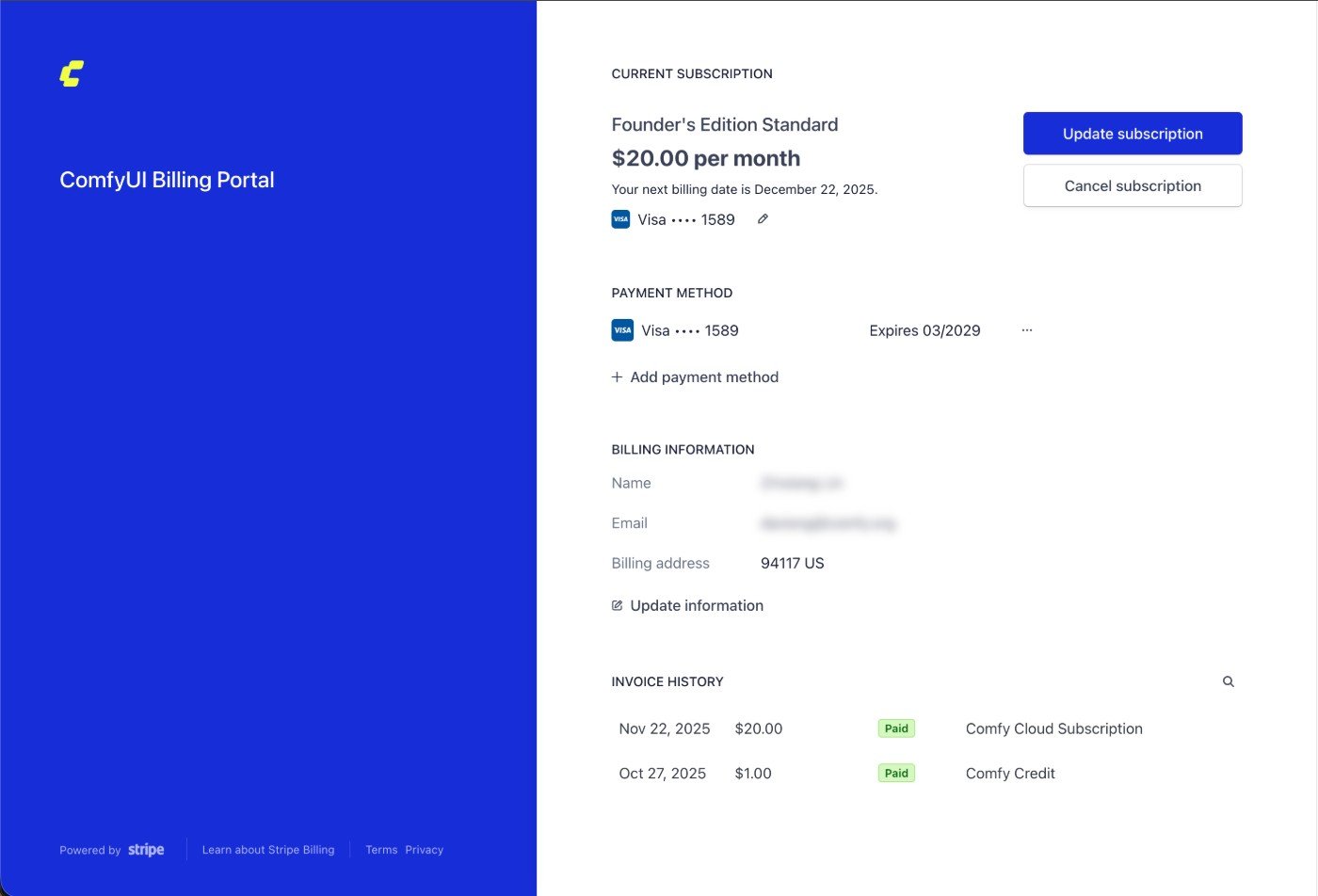
 5. Click `Cancel subscription` button in Stripe to cancel your subscription
 ## Important notes
* All Comfy Cloud subscription plans automatically renew unless you set your plan to cancel
* Your subscription will remain active until the end of your current billing period
* You can resubscribe at any time by visiting [cloud.comfy.org](https://cloud.comfy.org/?utm_source=docs)
## Important notes
* All Comfy Cloud subscription plans automatically renew unless you set your plan to cancel
* Your subscription will remain active until the end of your current billing period
* You can resubscribe at any time by visiting [cloud.comfy.org](https://cloud.comfy.org/?utm_source=docs)